कभी ना कभी आपके साथ ऐसा जरूर हुआ होगा कि आप किसी exam में गए हो, और कोई document घर पर ही भूल गए हो और इस कारण से आप exam न दे पाए हो। उस समय आप बड़े संकट में पड़ जाते हो। इसका हल आपके smartphone में हैं।(It must have happened to you at some point of time that you have gone to an exam, and forgot a document at home and because of this you have not been able to give the exam. At that time you are in a big crisis. Its solution is in your smartphone.)
आपके smartphone में Google की कुछ aaplication pre installed होती है, इनमें एक aap drive हैं इसमें आप अपने document को अपने smartphone से uplod कर सकते हैं और किसी भी स्थान पर और किसी भी device से aap अपने document को dounload कर print out निकाल सकते हैं। (Some of Google’s aaplication is pre-installed in your smartphone, there is an aap drive in it you can uplod your document from your smartphone and print out aap by dounloading your document at any place and from any device.)
1.How to upload a document.
STEP:-A) आप अपने mobile में drive aap को ढूंढे और उसे खोले और उसमें एक gmail account से login कर ले।(You find the drive aap in your mobile and open it and login to it with a gmail account.)

STEP:-B) नीचे दाएं ओर + (जोड़) के निशान पर click करे। [Click on the + (plus) sign at the bottom right.]

STEP:-C) अब scan पर tap करे। (Now tap on scan.)

STEP:-D) इसके बाद अपने document का एक photo खीचें । (After this, take a photo of your document.)

STEP:-E) अब √ (सही) के निशान पर tap करे।[Now tap on the (right) sign.]

STEP:-F) अब आप document को croup कर ले ।(Now you croup the document.)

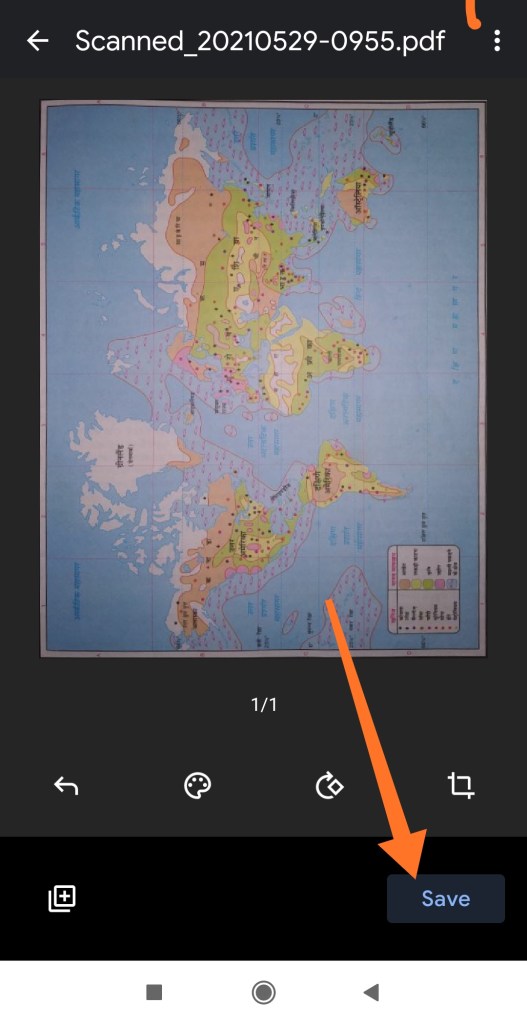
STEP:-G) अपने document को save कर ले ।(Save your document.)
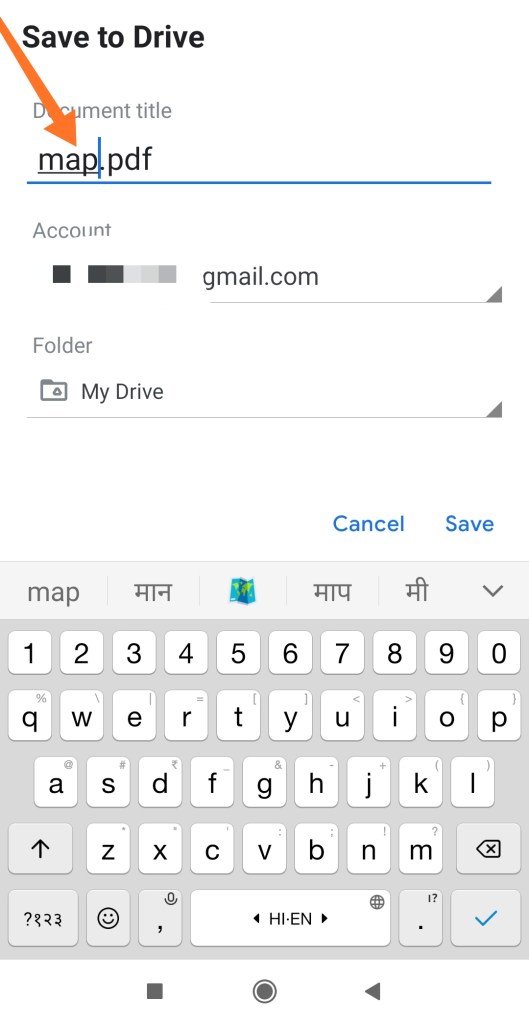
STEP:-H) अपने document का नाम लिखे ।(Write the name of your document.)
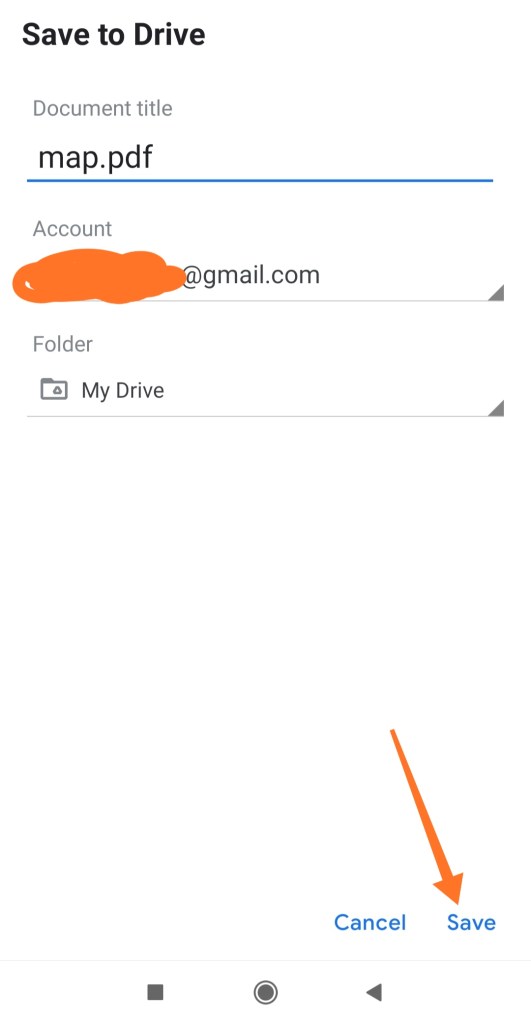
STEP:-I) अब save पर tap करे ।(Now tap on save.)
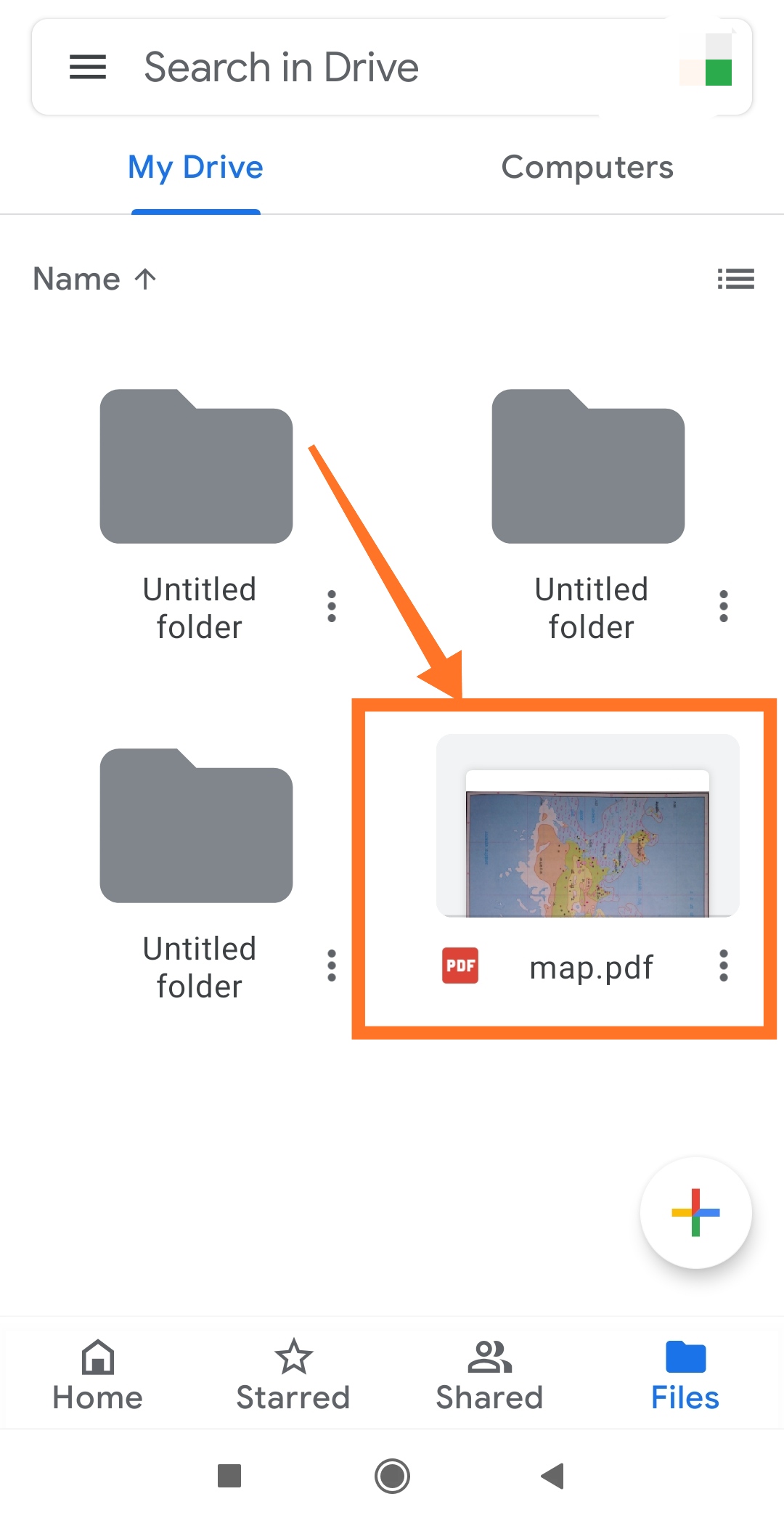
आपका document upload हो रहा है।(Your document is being uploaded.)

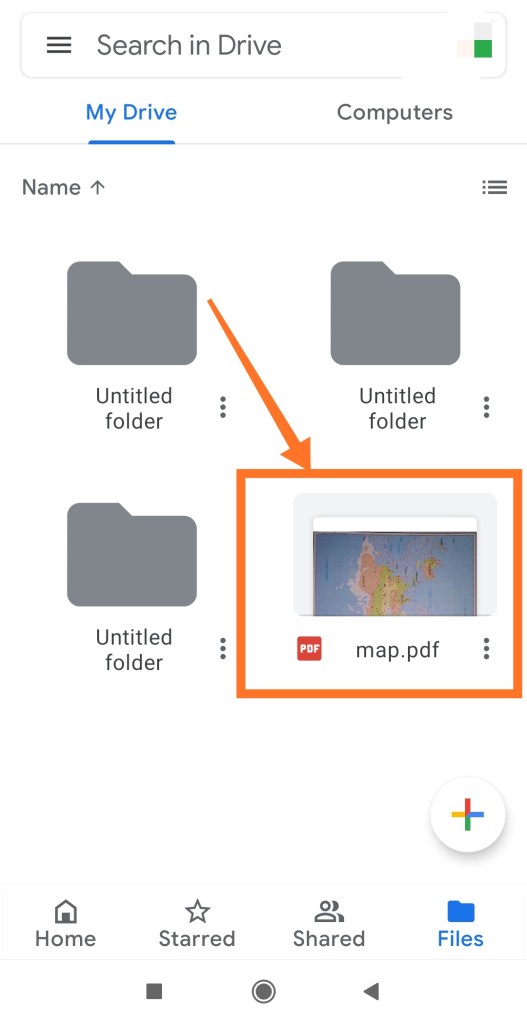
आपका document pdf के रूप मे save हो गया हैं।(Your document has been saved as pdf. )
THANK YOU FOR READING.
 TechGautam